The Main Tool Palette should appear when you start Finale. If the Main Tool Palette is not showing, click on "Window" on the main menu and select "Main Tool Palette.
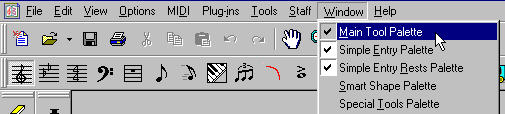
The Staff Tool

Use this tool to add or delete staves, bracket staves, sort the staves, and edit the Staff Attributes. To edit a staff, double click on a measure to bring up this dialogue box:

Key Signature Tool

Click on a measure to change the key of the work. Use the measure region to determine where the key change is placed.

Time Signature Tool

Click on a measure to change the time signature of the work.

Clef Tool
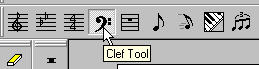
Click on a measure to change the clef. You can either have the clef inserted at the beginning of a measure or have it movable within the measure.

Measure Tool

Double click on a measure to change the measure attributes.

To insert measure numbers or add, delete, and insert measures use the Measure item on the main menu.

Simple Entry Tool
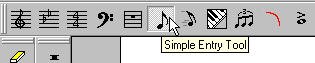

When you select the Simple Entry Tool, a separate Simple Entry Palette should appear.
If the Simple Entry Palette is not showing, click on "Window" on the main menu and select "Simple Entry Palette".

To enter music using the Simple Entry Palette, select the note value you want to insert and click on the staff. If you want to enter a rest value, hold the shift key while clicking on the staff.

Speedy Entry Tool

Use the Speedy Entry Tool to input notes using a MIDI keyboard.
After selecting the Speedy Entry Tool, click on a measure. A rectangular frame will appear around the measure with a vertical line showing the insertion point.
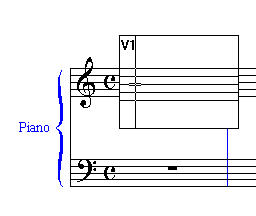
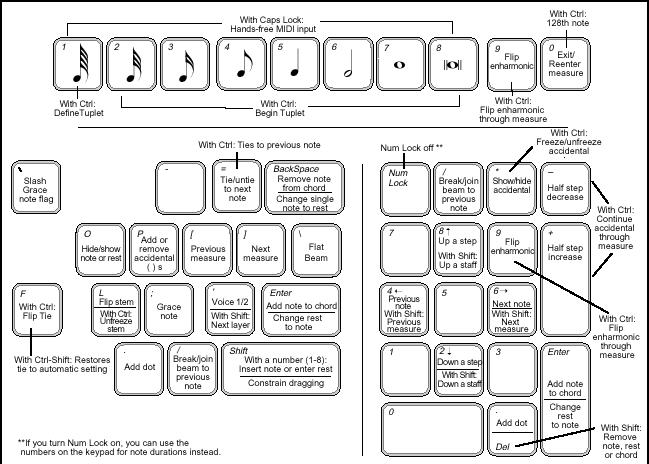
Play the desired note on the MIDI keyboard. While holding the note, specify the note value by entering the corresponding number on the numeric keypad as shown below:

After the note and value are inserted, the insertion point will move to the right.
Below is a diagram of additional Speedy Entry Keyboard commands:
The views and opinions expressed in this page
are strictly those of the page author.
The contents of this page have not been reviewed
or approved by the University of Minnesota
Copyright © 1999 - 2001 by Theodore A. Schoen
Last Modified: Sunday, 28-Oct-2001 13:54:32 CST
http:// www.d.umn.edu /~tschoen/Mu1901/finaletut2r.htm